Keep your wood logistics
simple and under control
Keep your wood logistics
simple and under control
Fast and accurate log volume calculation
Load slips ready in seconds
Share documents however you need
Reusable templates for quick entry
GET IT ON
GET IT ON
Download on the
App Store
Features
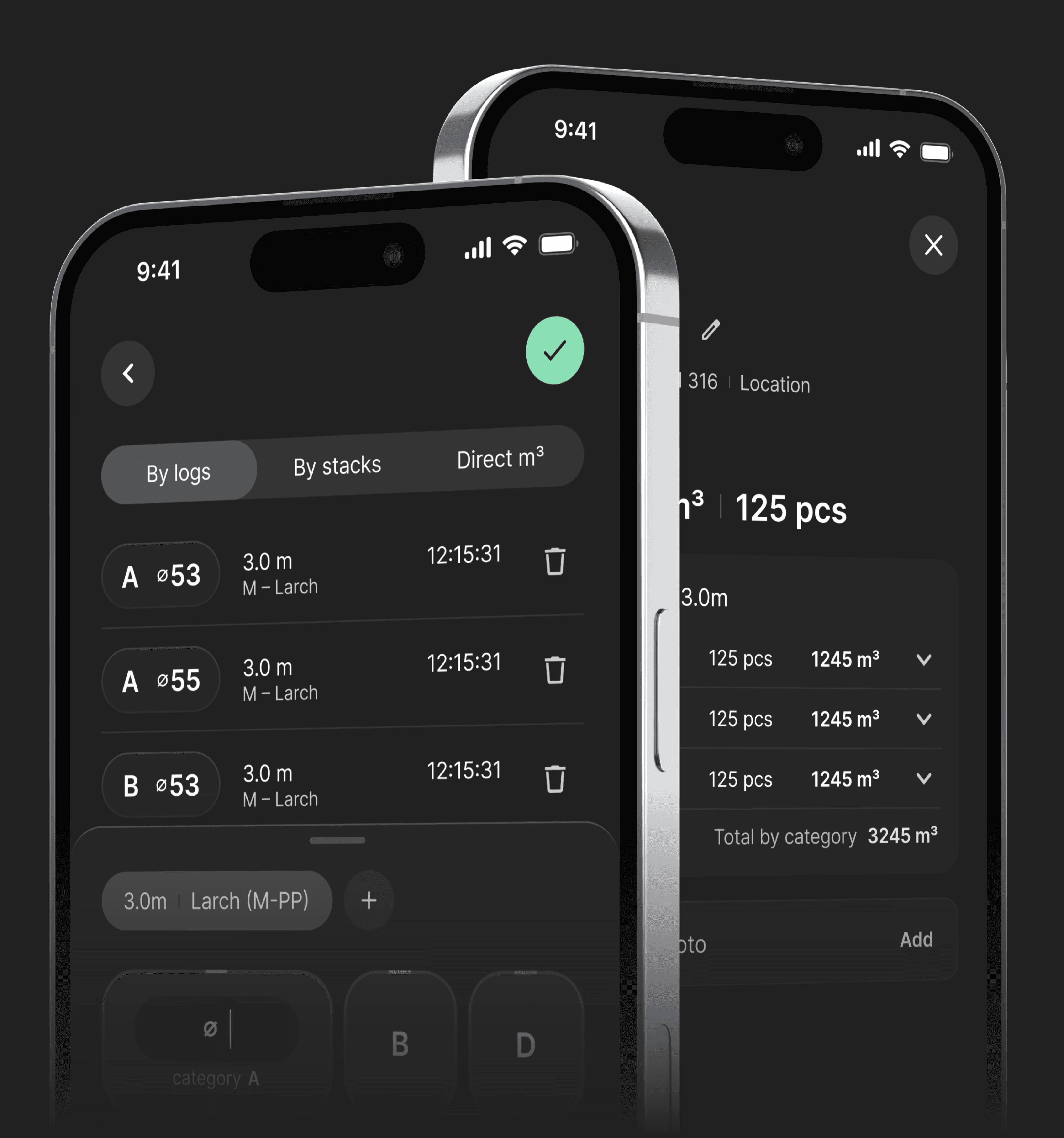
Built for working with logs and loads
Built for working with logs and loads
Log Volume Calculator
Calculate log volume quickly and accurately using standard Lithuanian tables. Works the way you already measure on site.
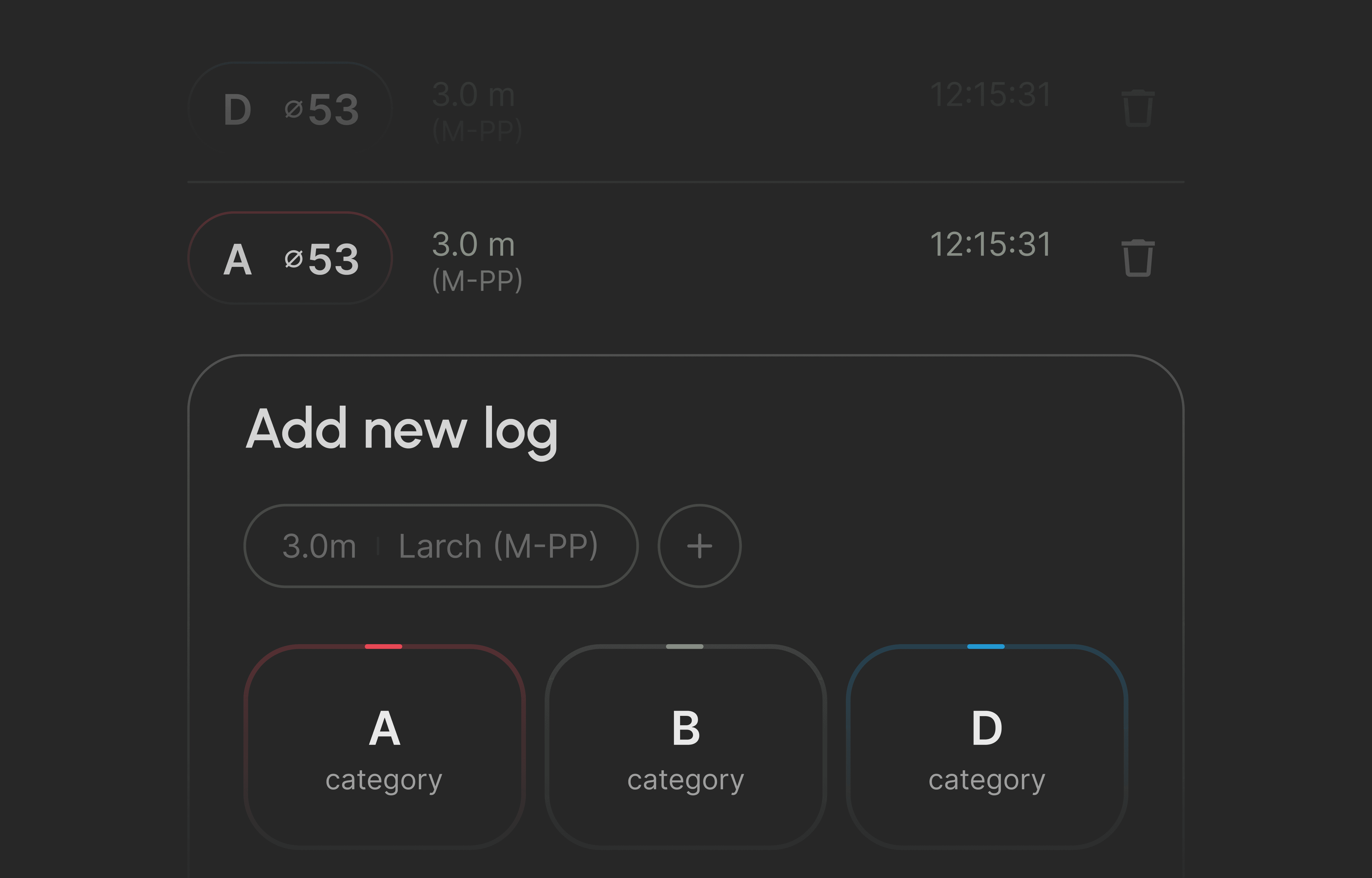
By Individual Logs
Enter diameter and length to get precise volume for each log.
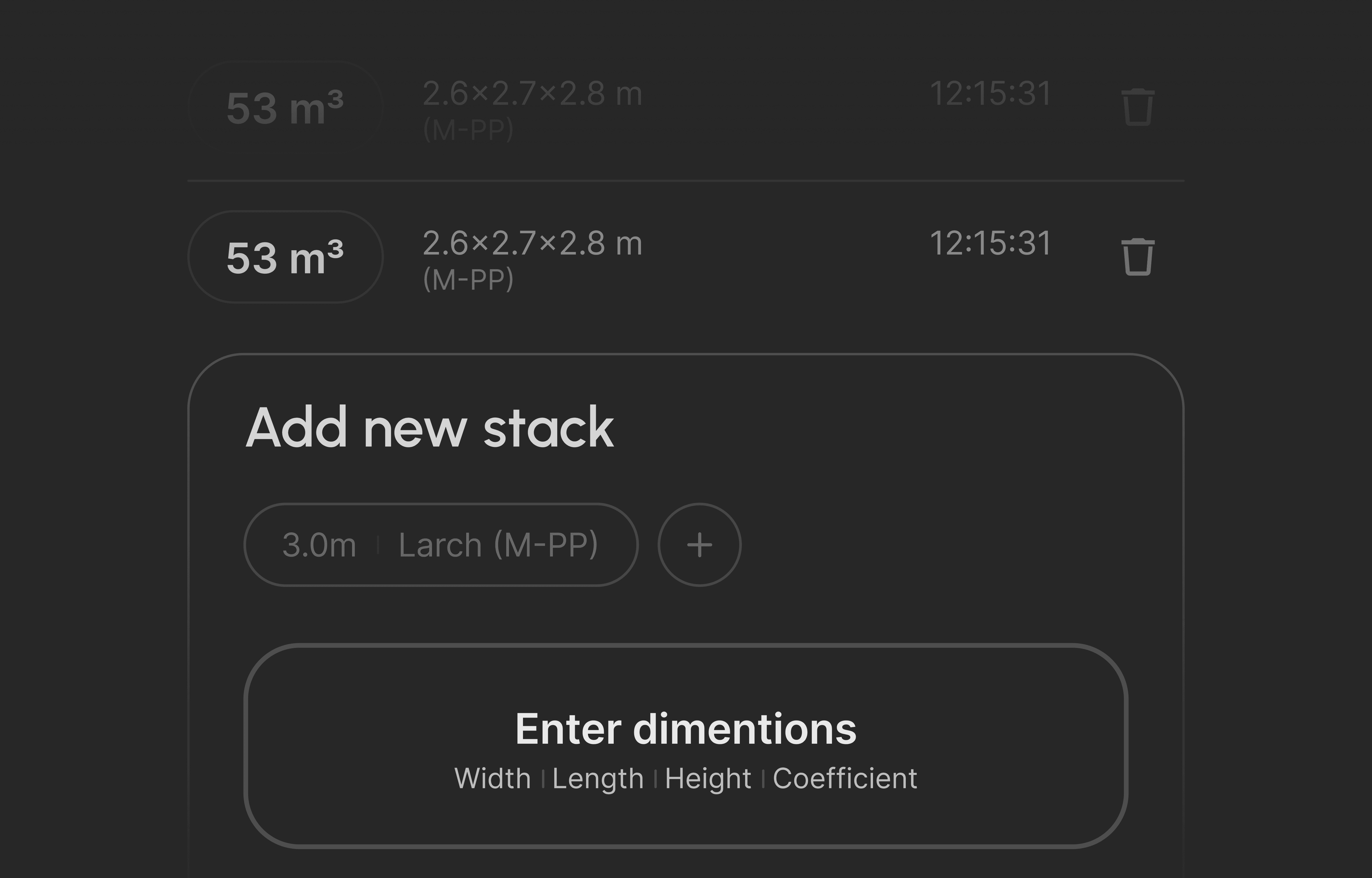
By Stack
Add width, length, and height, set the coefficient — we handle the calculation.
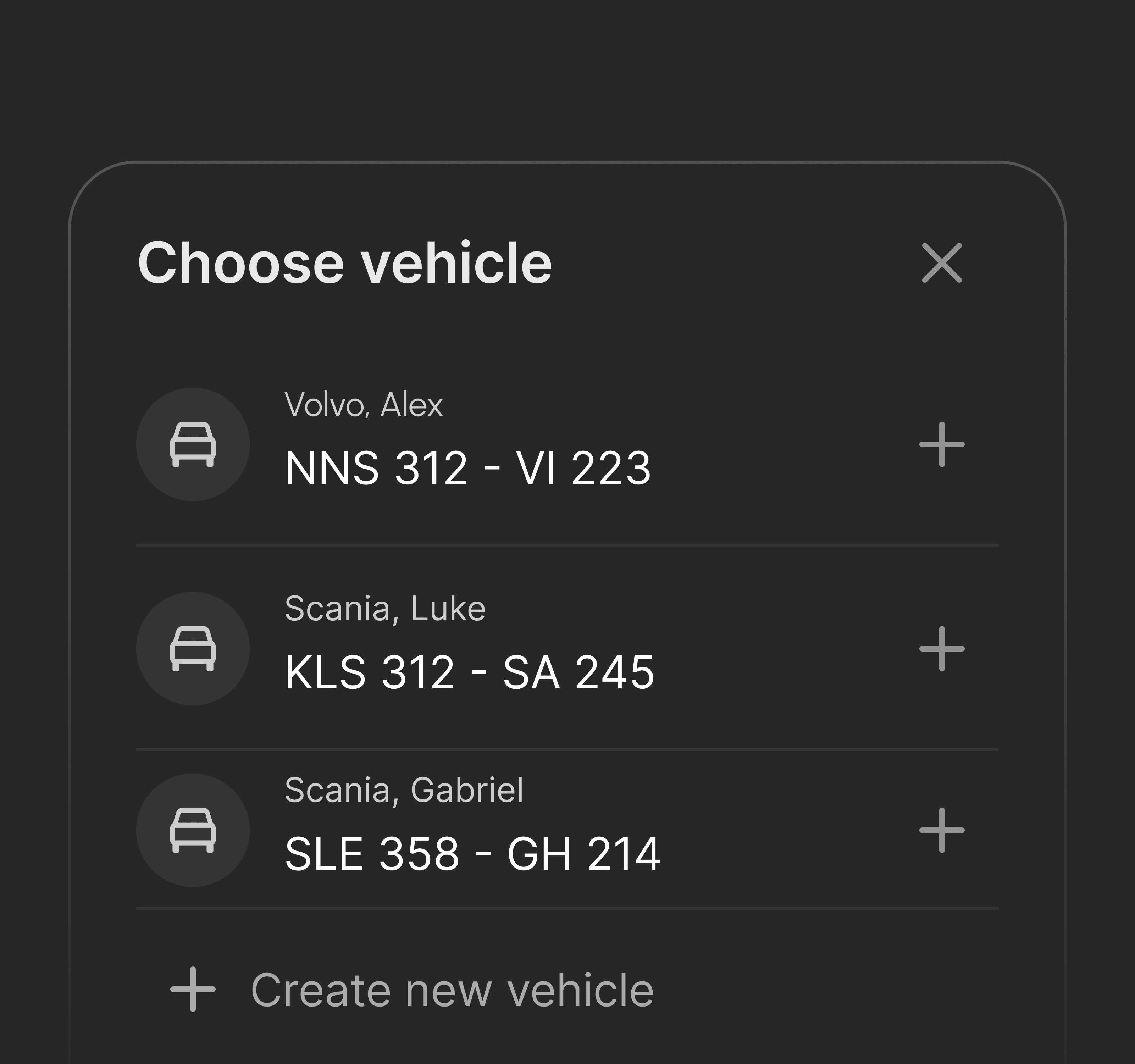
Templates
Save locations, vehicles, and companies to fill documents instantly every time.
Load Slip Generator
Create clean, ready-to-use load slips in seconds. No manual writing, no repeated work.
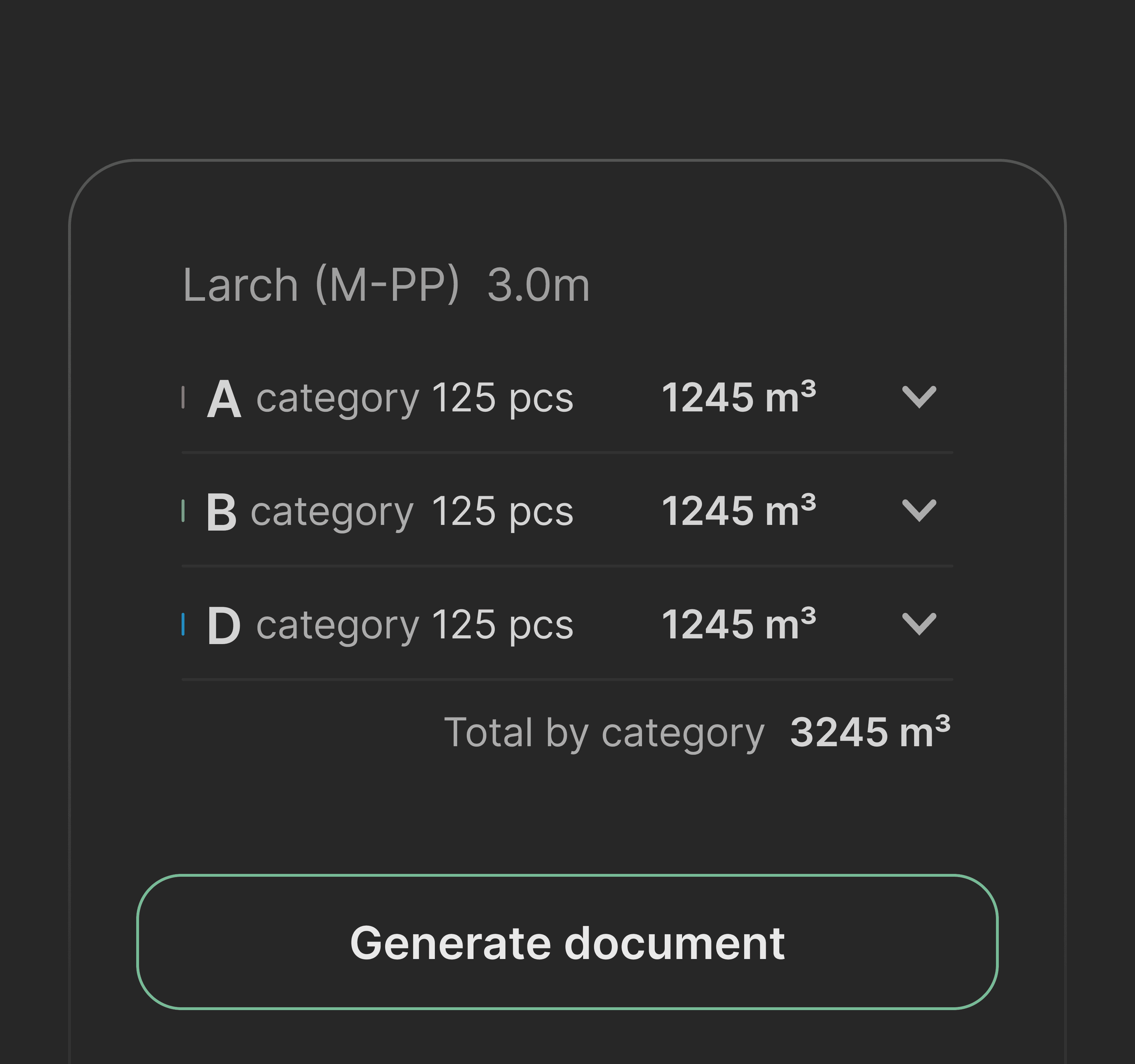
All loads in one place
Keep track of every load you’ve entered. Review, check, and stay in control at any time.
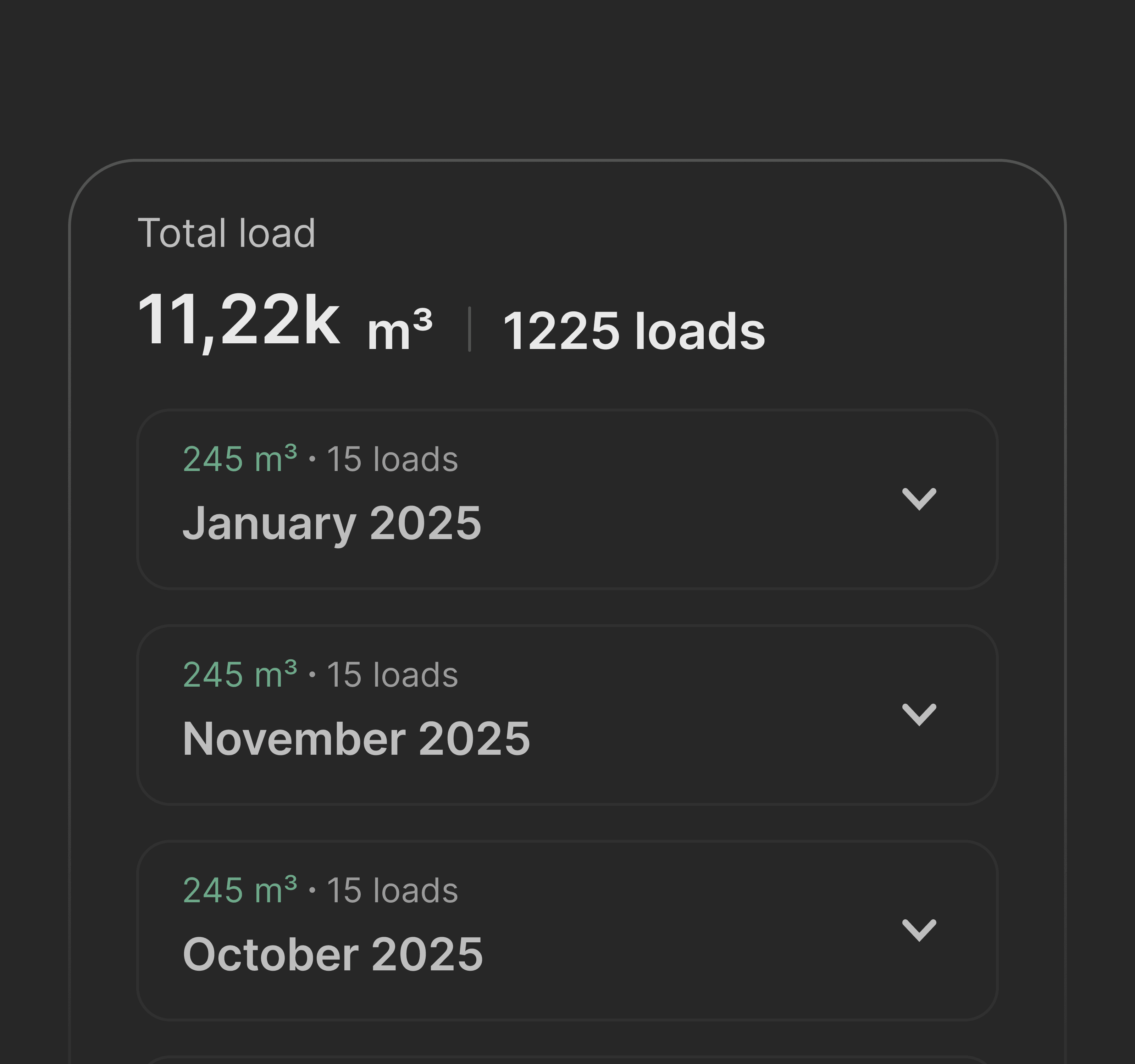
Templates
Save locations, vehicles, and companies to fill documents instantly every time.
Load Slip Generator
Create clean, ready-to-use load slips in seconds. No manual writing, no repeated work.
All loads in one place
Keep track of every load you’ve entered. Review, check, and stay in control at any time.
Templates
Save locations, vehicles, and companies to fill documents instantly every time.
Load Slip Generator
Create clean, ready-to-use load slips in seconds. No manual writing, no repeated work.
All loads in one place
Keep track of every load you’ve entered. Review, check, and stay in control at any time.
How Volume Is Calculated
Individual logs
Stack dimensions
By Individual Logs
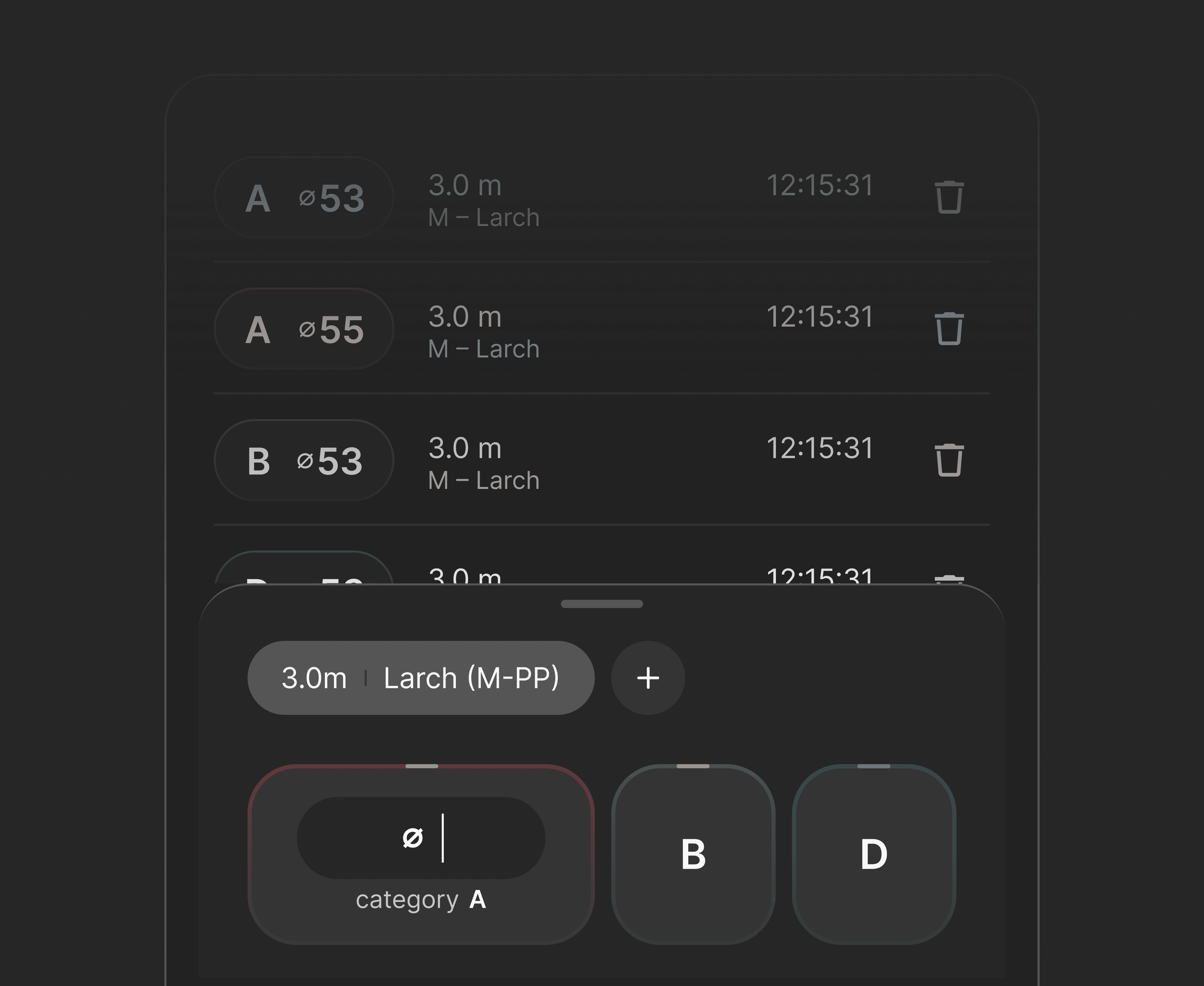
To calculate volume by individual logs, enter the log’s length and diameter. The app then matches these values with the official Lithuanian log volume table, where the volume for each log is predefined. This ensures accurate and standardized results based on real industry data.
You can view the log volume table
Here
How Volume Is Calculated
Individual logs
Stack dimensions
By Individual Logs
To calculate volume by individual logs, enter the log’s length and diameter. The app then matches these values with the official Lithuanian log volume table, where the volume for each log is predefined. This ensures accurate and standardized results based on real industry data.
You can view the log volume table
Here
How Volume Is Calculated
Individual logs
Stack dimensions
By Individual Logs
To calculate volume by individual logs, enter the log’s length and diameter. The app then matches these values with the official Lithuanian log volume table, where the volume for each log is predefined. This ensures accurate and standardized results based on real industry data.
You can view the log volume table
Here
How Volume Is Calculated
Individual logs
Stack dimensions
By Individual Logs
To calculate volume by individual logs, enter the log’s length and diameter. The app then matches these values with the official Lithuanian log volume table, where the volume for each log is predefined. This ensures accurate and standardized results based on real industry data.
You can view the log volume table
Here
How It Works
How It Works
01
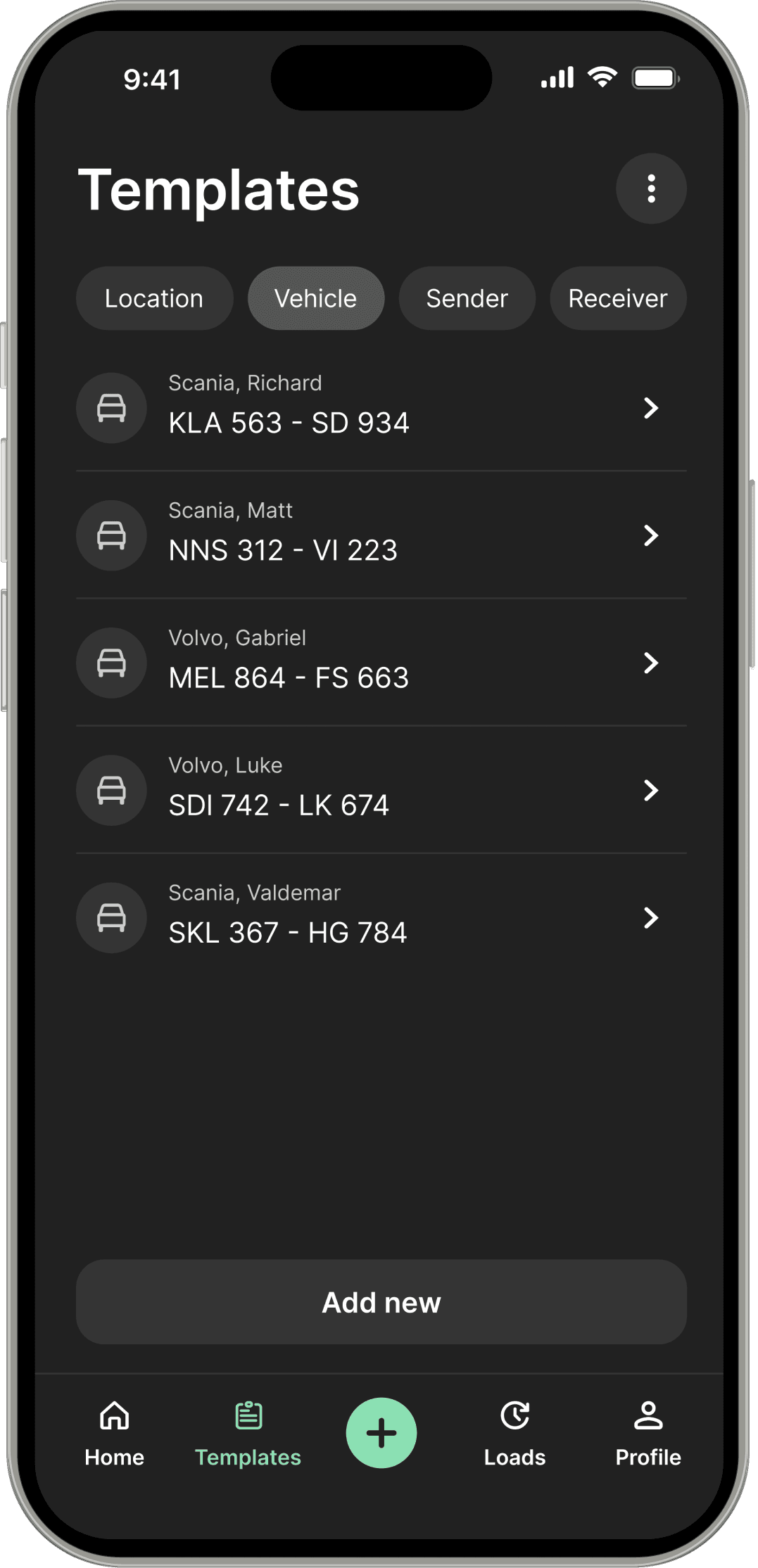
Set Up Templates
Go to Templates, choose what you want to create (Location, Vehicle, Sender, or Receiver).
Click Add New, and complete the required fields.
It’s optional, but spending a little time setting things up now will save you a lot of time in the long run.
02
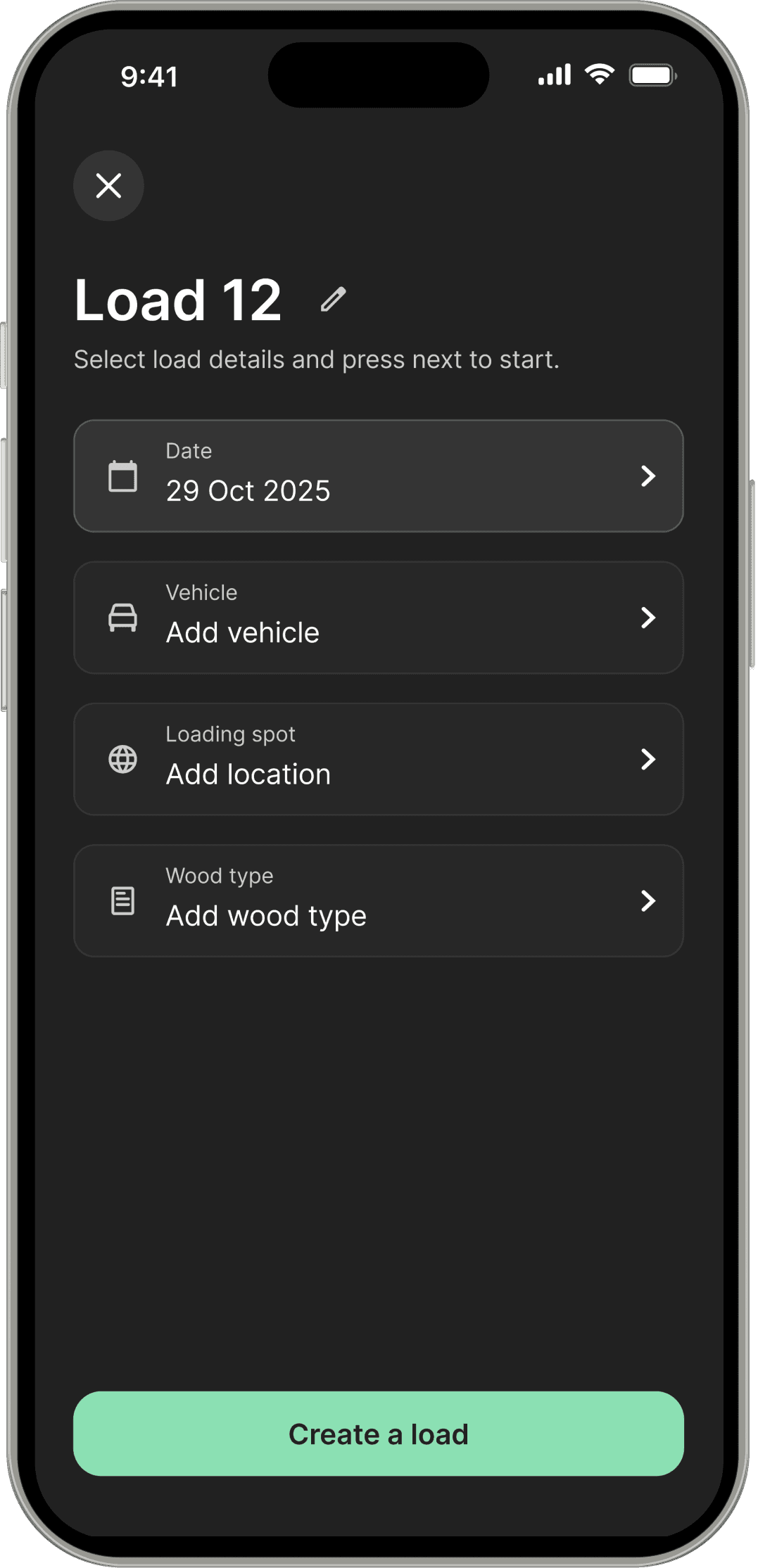
Create a New Load
Start a new load by pressing the “+” button.
Choose a vehicle and location from a template, add a wood type, and create the load.
You can skip the location or vehicle if you only want to calculate volume.
03
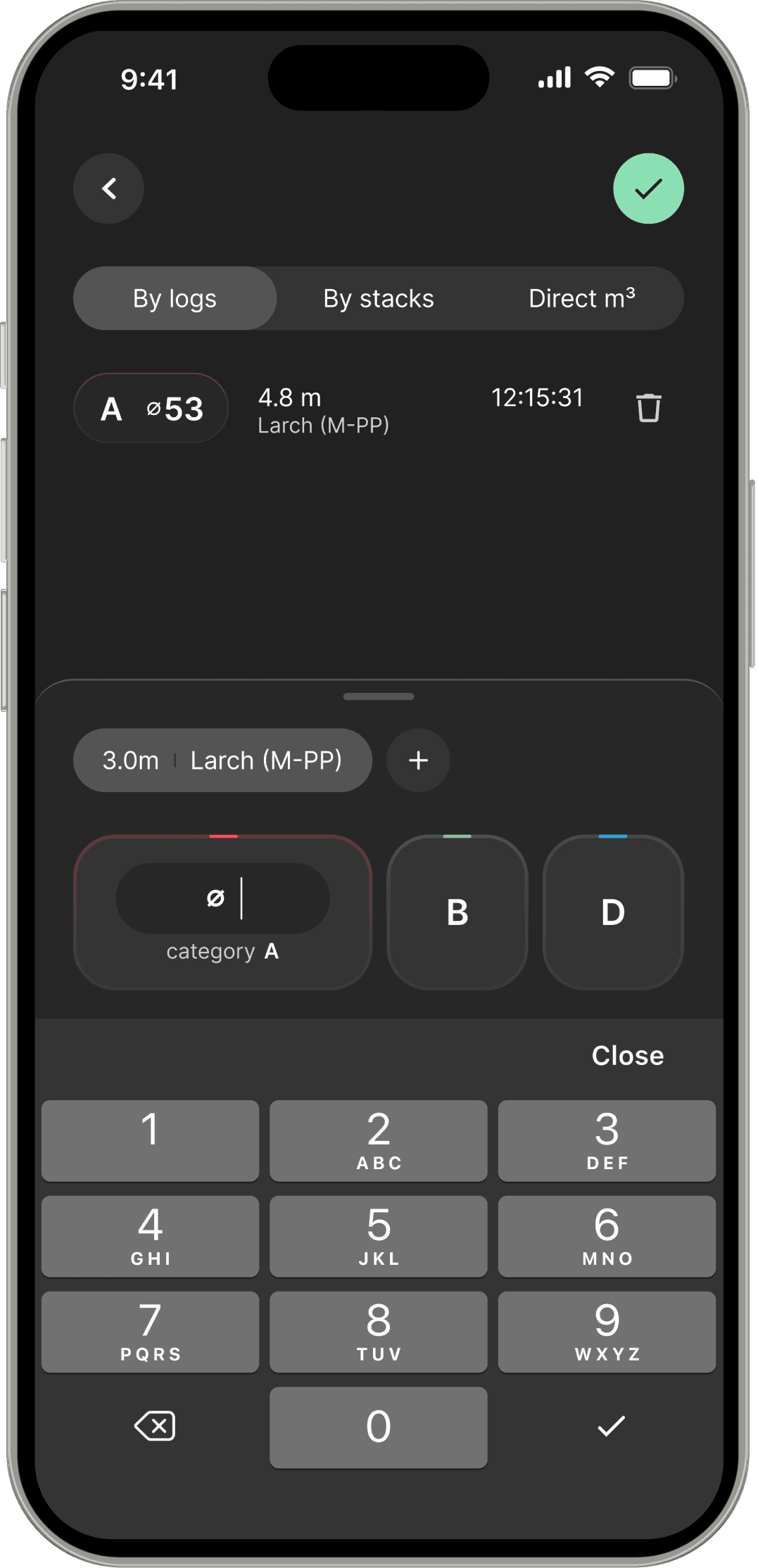
Calculate Volume
Choose a calculation type
Select a tab: Logs, Stacks, or Direct Volume.Enter your data
Logs - Select wood quality (A/B/D), enter the log diameter, check the wood type, then press ✓.
Stacks - Enter width, length, and height, confirm the coefficient, then press ✓.
Direct Volume - Enter the volume and press ✓.
04
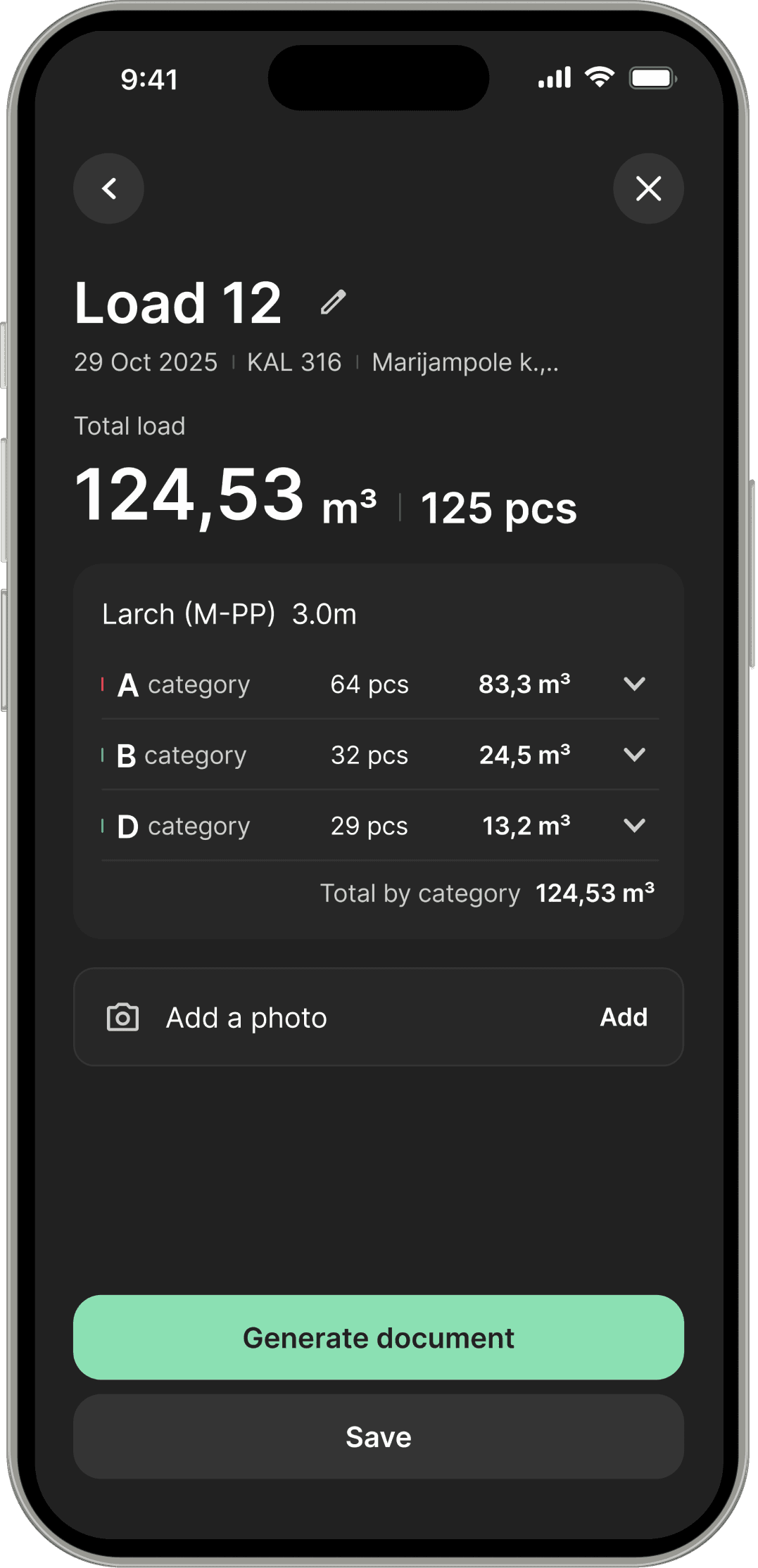
Review and Adjust
Check that all entered information is correct.
You can make changes if needed and optionally add a load photo.
If you don’t need a document, you can simply save the entry.
05
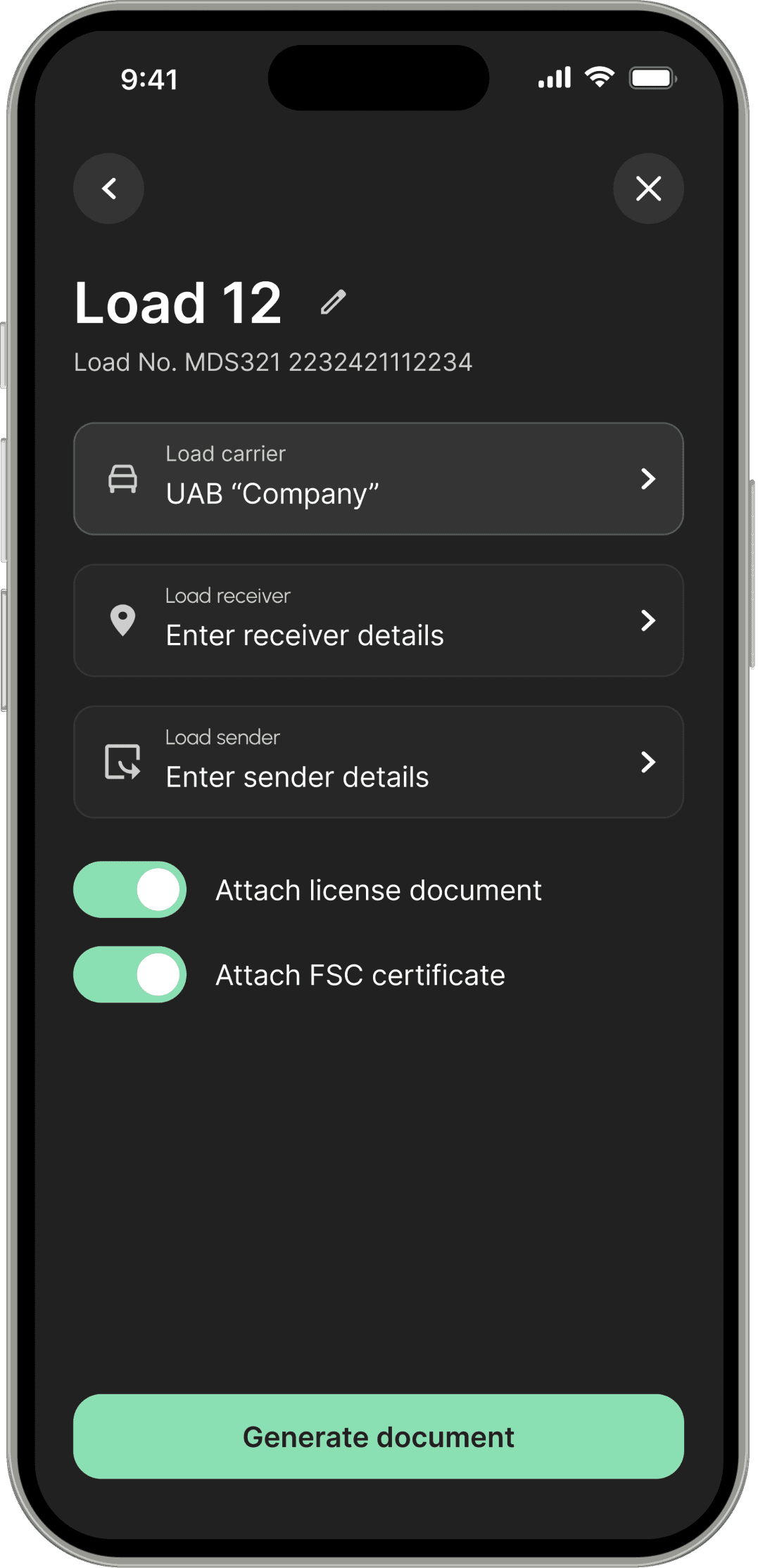
Generate document
Press Generate document
Select the Carrier and Receiver from templates.
Choose whether to attach additional documents (FSC or forest cutting license).
Press Generate document again to confirm.
After that, you can share, save, or view the summary.
01
Set Up Templates
Go to Templates, choose what you want to create (Location, Vehicle, Sender, or Receiver).
Click Add New, and complete the required fields.
It’s optional, but spending a little time setting things up now will save you a lot of time in the long run.
02
Create a New Load
03
Calculate Volume
04
Review and Adjust
05
Generate document
Get the App on Your Phone
Available on Android and iOS. Download the app or scan the QR code and start working in minutes.
GET IT ON
GET IT ON
Download on the
App Store
Get the App
Available on Android and iOS. Download the app or scan the QR code and start working in minutes.
GET IT ON
GET IT ON
Download on the
App Store
What our users say
What our users say

Lukas Ramanauskas
This app saves me a lot of time every day. I don’t have to calculate volumes manually or write load slips by hand anymore. Everything is done in a few clicks. I can send documents right away without extra work. It just makes the job easier.

Gabrielius Kozlovsky
Before this, I was doing everything on paper. Now I calculate and create documents much faster. It’s simple to use and doesn’t require any learning. I also like that I can send everything by email immediately. It saves a lot of hassle.

Matas Sakalys
This app helped me organize my work better. No more paperwork and no more repeated writing. I just enter the data and everything is ready. Sharing documents takes a few seconds. It saves both time and effort.

Darius Zala
Simple and practical tool for anyone working with logs. Calculations are fast and reliable. I don’t need to double-check everything like before. It’s easy to review past loads and stay organized. Makes daily work smoother.

Aleksas Jadevicius
Very useful tool for daily work in the field. I can quickly calculate volume and generate load slips without mistakes. Templates help speed things up even more. It’s easy to keep track of all loads in one place. Much better than doing it manually.
Lukas Ramanauskas
This app saves me a lot of time every day. I don’t have to calculate volumes manually or write load slips by hand anymore. Everything is done in a few clicks. I can send documents right away without extra work. It just makes the job easier.
Gabrielius Kozlovsky
Before this, I was doing everything on paper. Now I calculate and create documents much faster. It’s simple to use and doesn’t require any learning. I also like that I can send everything by email immediately. It saves a lot of hassle.
Matas Sakalys
This app helped me organize my work better. No more paperwork and no more repeated writing. I just enter the data and everything is ready. Sharing documents takes a few seconds. It saves both time and effort.
Darius Zala
Simple and practical tool for anyone working with logs. Calculations are fast and reliable. I don’t need to double-check everything like before. It’s easy to review past loads and stay organized. Makes daily work smoother.
Aleksas Jadevicius
Very useful tool for daily work in the field. I can quickly calculate volume and generate load slips without mistakes. Templates help speed things up even more. It’s easy to keep track of all loads in one place. Much better than doing it manually.
FAQ
FAQ
These are the most common questions. If you don’t find the answer you’re looking for or notice any issues, feel free to contact us by email - our support team is here to help.
Get Your Work Done Faster and Simpler
Get Your Work Done Faster and Simpler
GET IT ON
GET IT ON
Download on the
App Store
© Timbero 2026. All rights reserved
GET IT ON
GET IT ON
Download on the
App Store
© Timbero 2026. All rights reserved
GET IT ON
GET IT ON
Download on the
App Store
© Timbero 2026. All rights reserved